The Cable, the Clicker, and the Click: Securing the Conference AV Chain
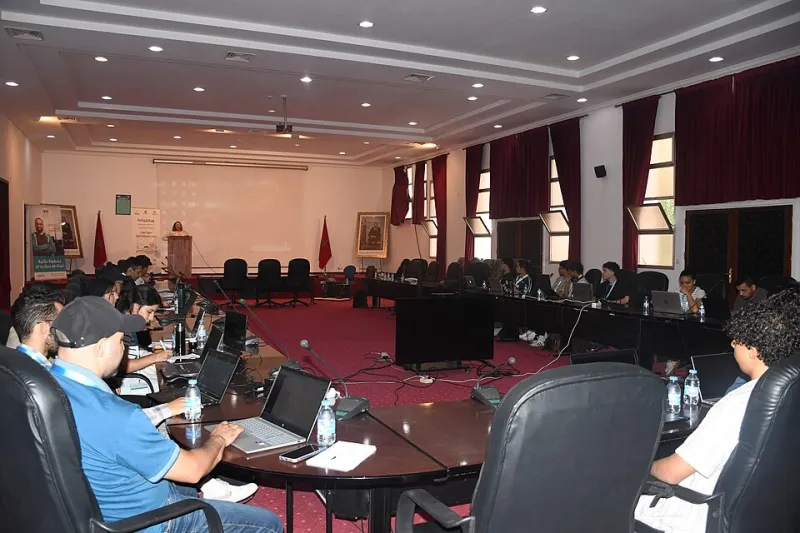
Photo: DERDAKI ILIAS, CC BY-SA 4.0, via Wikimedia Commons
Conference AV is usually treated as logistics: a laptop, a clicker, a cable, and a countdown timer. That framing is convenient, and it is also wrong. In 2026, a presentation pipeline is a distributed system with multiple trust boundaries, and every boundary is a place where an attacker can deliver a payload, capture data, or leave persistence behind. Organizers harden badge scanners and Wi-Fi; the podium often gets a fraction of that attention.
The AV chain is not one device. It is a sequence: speaker laptop, adapters and dongles, switcher, projector or display, capture card, streaming encoder, recording platform, control tablet, and attendee devices. A compromise at any link can affect the room, the stream, and the record. For a US conference program, the goal is not to make the chain impossible to use. It is to make each handoff explicit, isolated, and reversible.
Map the Chain Before You Harden It
Start with an inventory that names an owner for every component. Include presenter laptops, loaner machines, USB clickers and their receivers, HDMI and USB-C adapters, video switchers, wireless presentation devices, streaming encoders, recording systems, confidence monitors, and any tablet used to control the room. Record firmware versions, network dependencies, and who can log in. If a device has no owner, it is not a control; it is an unknown.
Classify each link by data flow. A video-only path carries pixels. A USB path can carry keystrokes, storage, or network traffic. A wireless presentation path may carry authentication tokens. A streaming path carries credentials and audience data. The classification determines the hardening: video-only adapters where possible, data-blocking USB condoms where not, and no shared corporate credentials on any AV device.
Sanitize the Deck, Not Just the Laptop
Slide decks are executable content in more ways than speakers admit. Presentation files can contain macros, embedded objects, external links, custom fonts, and metadata. A PDF is not automatically safe either; it can carry scripts, embedded files, and links. Require speakers to submit a static export through a controlled portal, then open it on an isolated presentation machine. Strip metadata, flatten animations where practical, and verify every QR code and shortened URL against an allowlist. A QR code on a slide is a redirect the audience will follow; treat it as an outbound link, not decoration.
Do not let the speaker's personal laptop become the presentation system by default. Provide a clean loaner with a local account, no email, no chat, no password manager, and notifications disabled. If a speaker must use their own machine, require a pre-talk check on the same model of adapter and display. The check is not a courtesy; it is the only point where you can see what the machine will do when it wakes up in front of an audience.
Isolate Guest Devices at the Port
Guest-device isolation is usually discussed as network segmentation, but the physical ports matter more at the podium. Use video-only adapters and disabled data pins where the display standard permits. Block USB mass storage and HID auto-installation on loaner machines. Provide conference-owned clickers rather than accepting unknown receivers. If a speaker brings a clicker, test it on an isolated machine and never leave the receiver in a production laptop after the session.
Put AV devices on a dedicated VLAN with no route to corporate systems. Give streaming encoders only the egress they need. Disable remote management interfaces that are not actively used, change default credentials, and document the firmware update path. If the venue provides AV, ask for the same isolation in writing. A venue's convenience should not become your incident.
Treat the Stream and the Recording as Data
Hybrid conferences create a second audience and a second retention problem. Streaming keys, meeting links, recording storage, captioning services, and attendee Q&A tools all hold data. Use unique links per session, expire them after the talk, and keep recordings in an access-controlled library. Announce recording clearly and give attendees a way to opt out of being captured in Q&A. Review the recording before publication for exposed notifications, whiteboards, and off-screen documents.
Teardown Is a Control
Post-talk teardown is where many programs lose discipline. Collect dongles and clickers, wipe loaner profiles, revoke session links, remove presenter files from shared drives, and check the encoder logs for unexpected connections. Store the recording in the approved system, not on a desktop. If a speaker used a personal device, confirm that the presentation file was removed from the AV machine and that no browser session remains.
A Practical Checklist
- Inventory every AV component and assign an owner.
- Require a static deck export through a controlled portal.
- Use an isolated loaner with notifications and network accounts disabled.
- Prefer video-only adapters and block USB data where possible.
- Provide conference-owned clickers; test any guest device off-network.
- Segment AV on a dedicated VLAN with least-privilege egress.
- Review QR codes, links, and embedded objects before the talk.
- Expire streaming links and control recording access.
- Teardown, wipe, collect, and log after every session.
The podium is a trust boundary. Treat it like one, and the next talk is less likely to become the next incident.